Make room for
your reading life.
The unread pile. The book you can’t put down. The line you want to remember.
Bring them home to Burrow, a personal bookshelf and reading companion for iPhone.
Download on the App StoreA paid subscription or lifetime purchase is required after the library preview.
Take a look inside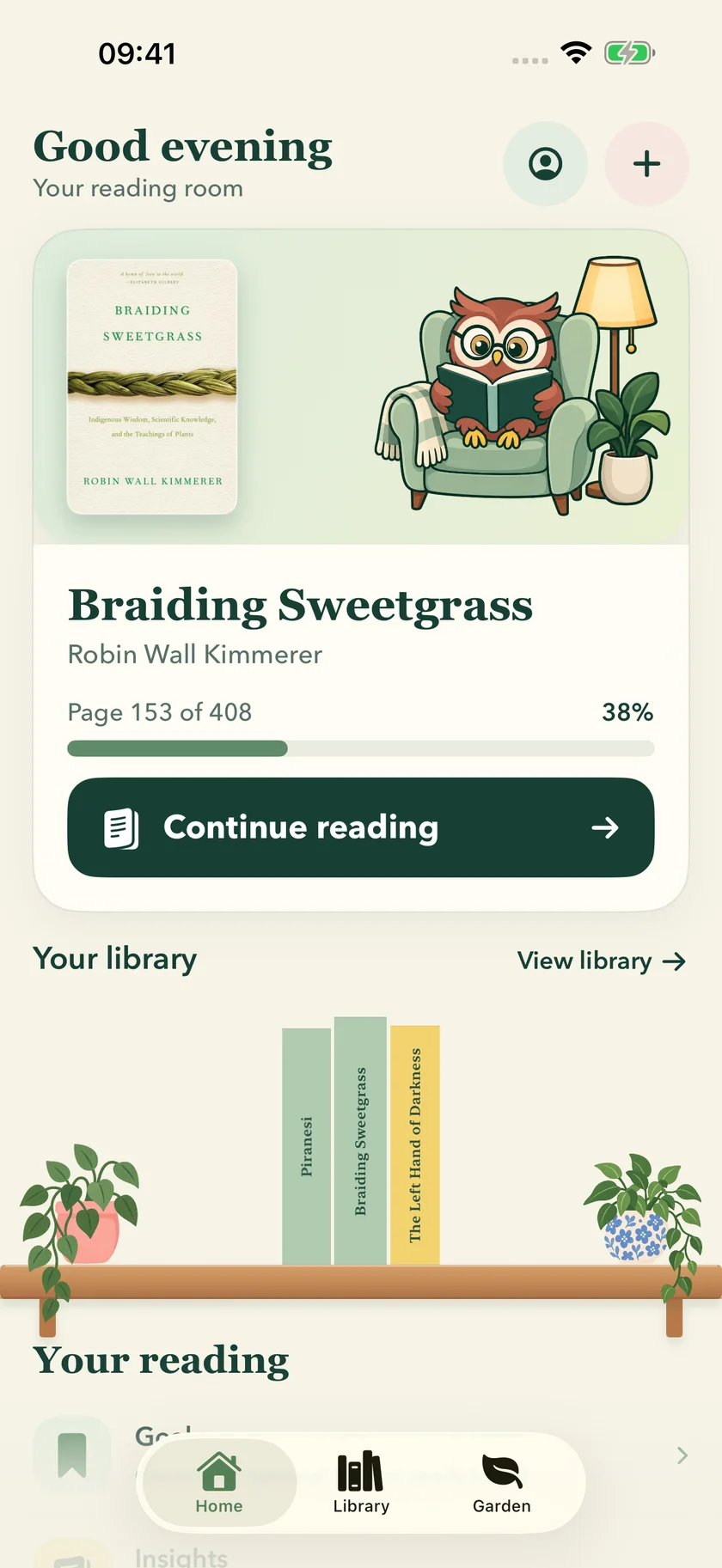
Shown with example reading data.
A shelf, not a to-do list
All your books.
A place for each one.
Keep the books you want to read beside the ones you’ve already lived in. Find your next read without losing track of the last.
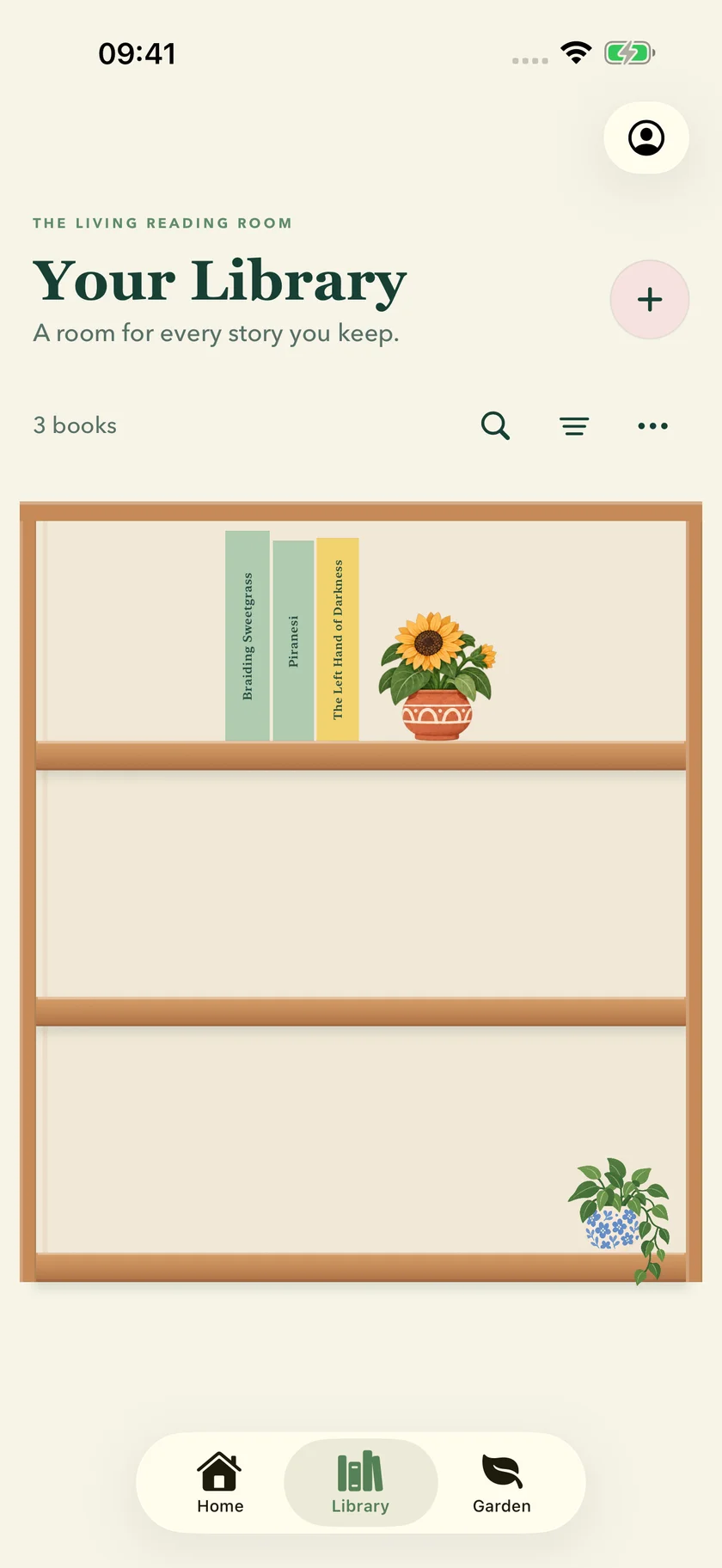
Bring the unread pile into view
Add books by catalogue search or manual entry. Keep track of what’s next, what’s underway and what’s finished. Collections and tags make a growing library easier to find your way around. Explore your personal bookshelf.
Leave yourself a bookmark
Log pages or minutes, use a reading timer and return to your history. Burrow keeps your place; it doesn’t supply ebooks or play audiobooks. Choose a reading intention.
Keep more than the ending
Save private notes, favourite quotes and reflections beside each book. Collect shelf keepsakes for reading milestones, without turning your reading life into a public feed. Keep a book-linked reading journal.

A few pages is
a lovely place to start.
Choose a reading intention that fits the day you actually have. If there’s a book you want to finish by a certain date, work out a manageable daily page count first.
Use the free pages-per-day calculatorNo email, no account. Just a little arithmetic, on your device.
Before you settle in
Is Burrow free?
A paid subscription or lifetime purchase is required after the library preview. Add books and preview your library before choosing paid access. Available plans, current prices and any eligible introductory offer are shown on the purchase screen before you confirm. Subscriptions renew automatically unless cancelled in your App Store settings.
What devices can I use?
Burrow is an iPhone app requiring iOS 18 or later. Check the App Store for availability in your country. The screenshots here preview version 1.1, which has been submitted for review; the public listing currently shows version 1.0.
Do I need a Burrow account?
No Burrow account is required. Your library and reading records are stored on your device, not in a Burrow cloud account. Keep any device backups you need. Read the privacy policy for the remote services used by catalogue queries, recognition and purchases.
Can I scan my books or photograph a shelf?
Burrow supports single-book recognition and optional shelf-photo recognition. Review suggested matches before adding them: recognition may not identify every book or edition. Shelf-photo recognition requires an internet connection and sends the photo to remote processors after your explicit choice. Catalogue search and manual entry are alternatives. See the full processing and retention details.
Can I track physical books, ebooks and audiobooks?
Yes. Keep their reading records in one library and log pages or minutes. Burrow tracks the books you read elsewhere; it does not include book content or audiobook playback.
What if I stop paying?
A failed purchase or expired subscription does not delete your books or reading records. Full reading access requires a subscription or lifetime purchase. For purchase recovery, use Restore Purchases or contact support.
Find your way into reading.
Choosing a tracker? Use the three-book selection check or compare Goodreads alternatives by the job you need done.
Start with a freely copyable journal template, or work out how many pages fit your day.
Your next chapter
can start here.
Make a little home for the books in your life.
Download on the App StoreA paid subscription or lifetime purchase is required after the library preview.